
Magic Voice Camera1 - Google Play
You'll be able to see results in few seconds.
Publisher Description
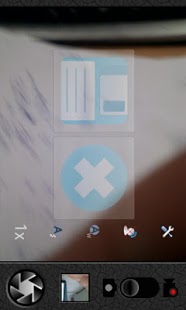
" Just say 'Cheese' when self-camera. If you take to voice shuttering, your finger will be lazy when take a picture"
MagicVoiceCamera is the camera that can be take a picture by simple speech.
Especially, it will be very useful when you take self-camera or your hands is not free even single hand.
Moreover you can take a picture by voice far from smartphone instead of timer (But not ao too far...^^;)
Voice Recognition and noise cancel tech-knowledge is applied to MagicVoiceCamera.
Therefore, you can take a picture by just speech. In addition to noise cancelling tech-knowledge make good signal
for voice recognition engine by reduce the noise. this cause improvement voice recognition success rating from 10% to 50%. Such as a car, on the street, restaurant, office, market, and so on. You can take a picture only using your speech.
How to use voice shuttering?
1. Excute Magic VoiceCamera
2. When the shutter button green light on, speak command.
Kind of command : 1. Cheese
(choose one 2. OK
3. Oki doki
4. Take a picture
< You can take choice comfortable command for you >
3. Waitng for reaction from camera for a while (Min 0.1seconds ~ Max. 2seconds)
4. If reconition succeed, smart phone will be vibrated shortly.
--> If recognition failed, just simply say command again. (Don't be angry)
5. finally, if regonition succeed, camera will take a piture with shutter sound.
6. At this monet you can seetwo image button. if you press save button, then current picture will be store to storage. If you press another button it will not store. Just bypassed.
7. Againly excute from second paraggraph to number 6.
If little bit much moving your smartphone, internall sensor will detect this and picture will not be taken. Please don't move much when you take a piicture. ( Anti-Shaking Magic way..^^; )
-Other functions
1. Auto-focusing
2. White balance
3. Camcorder function
4. Color effect
5. Scene effect
6. Auto-flash
7. Button-shutter
8. Zoon In/Out
9. Picture taken location store function
10. Auto-save function
Some function can be limited followed by your smartphone characteristic.
-Keyword
Photography
Camera
Voicecamera
Magic Voice Camera
voice recognition
Speech recognition
Noise Cancelling
Self Camera
Voice shutter
Speech Camera
Useful
Great
Funny
Easy
MagicVoiceCamera
-Languages
Danish, Japanese, Norwegian Bokmal,
German, Greek, Dutch, Polish, Korean,
French, Turkish, Czech, Spanish, Italian,
Portuguese, Russian, Swedish, Chinese (China),
Spanish (United States), Portuguese (Portugal),
Chinese (Taiwan)
-Develope environment
1. Android 2.2 Froyo
-Upgrade Plan
1. Add Command add Zoom In/Out
2. Add Continuos take picture function
3. Update Noise cancelling parameter
About Magic Voice Camera
The company that develops Magic Voice Camera is ITMagic. The latest version released by its developer is 1.
To install Magic Voice Camera on your Android device, just click the green Continue To App button above to start the installation process. The app is listed on our website since 2011-03-03 and was downloaded 0 times. We have already checked if the download link is safe, however for your own protection we recommend that you scan the downloaded app with your antivirus. Your antivirus may detect the Magic Voice Camera as malware as malware if the download link to com.itmagic.camera is broken.
How to install Magic Voice Camera on your Android device:
- Click on the Continue To App button on our website. This will redirect you to Google Play.
- Once the Magic Voice Camera is shown in the Google Play listing of your Android device, you can start its download and installation. Tap on the Install button located below the search bar and to the right of the app icon.
- A pop-up window with the permissions required by Magic Voice Camera will be shown. Click on Accept to continue the process.
- Magic Voice Camera will be downloaded onto your device, displaying a progress. Once the download completes, the installation will start and you'll get a notification after the installation is finished.
Program Details
System requirements
Download information
Pricing
Version History
version 1
posted on 2011-03-04
Several fixes and updates
version 1
posted on 2011-03-03
fix the bug
Disclaimer
Official Google Play Link
We do not host Magic Voice Camera on our servers. We did not scan it for viruses, adware, spyware or other type of malware. This app is hosted by Google and passed their terms and conditions to be listed there. We recommend caution when installing it.
The Google Play link for Magic Voice Camera is provided to you by apps112.com without any warranties, representations or guarantees of any kind, so access it at your own risk.
If you have questions regarding this particular app contact the publisher directly. For questions about the functionalities of apps112.com contact us.
